One-Off Doses & Repeating Supplements
D-Minder tracks vitamin D supplements two different ways. Knowing which one you want takes a moment — and saves you from logging a single prescription dose as a habit you never had.
A single dose you took once
- A prescription bolus like Hidroferol, or any pill you swallowed today
- Logged once, on the day you took it
- Deletable from your History — and it stays deleted
- Never repeats and never regenerates
A supplement you take on a regular schedule
- A recurring rule: every day, every week, or every month
- Your everyday D3 softgel, a weekly 50,000 IU prescription, or a monthly dose
- Generates one entry on each dose day, automatically
- Keeps running until you remove it
- Managed under Settings → Daily Supplements on both platforms
Log a one-off dose
The common case: "I just took a supplement, record it." One entry, on today.
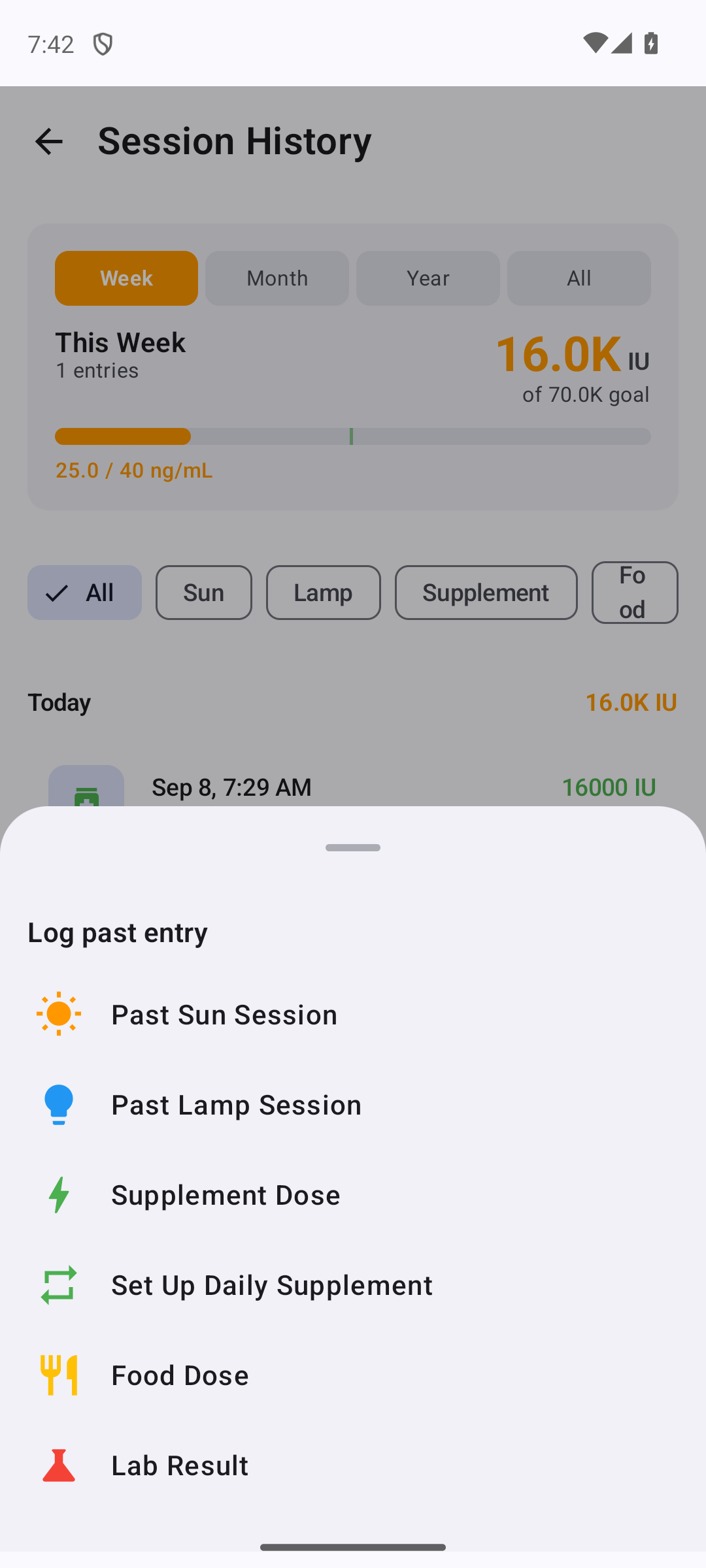
Open the add menu and choose "Supplement Dose"
On Android, open the History tab and tap the + button; on iOS, tap the + on the Home screen. Either way, choose Supplement Dose from the menu. This opens the single-dose form — the one for a dose you actually took.
The menu lists two supplement items on purpose: Supplement Dose for a one-off, and Set Up Daily Supplement for a recurring schedule. If you took a pill just now, you want the first one.
Enter the amount and save
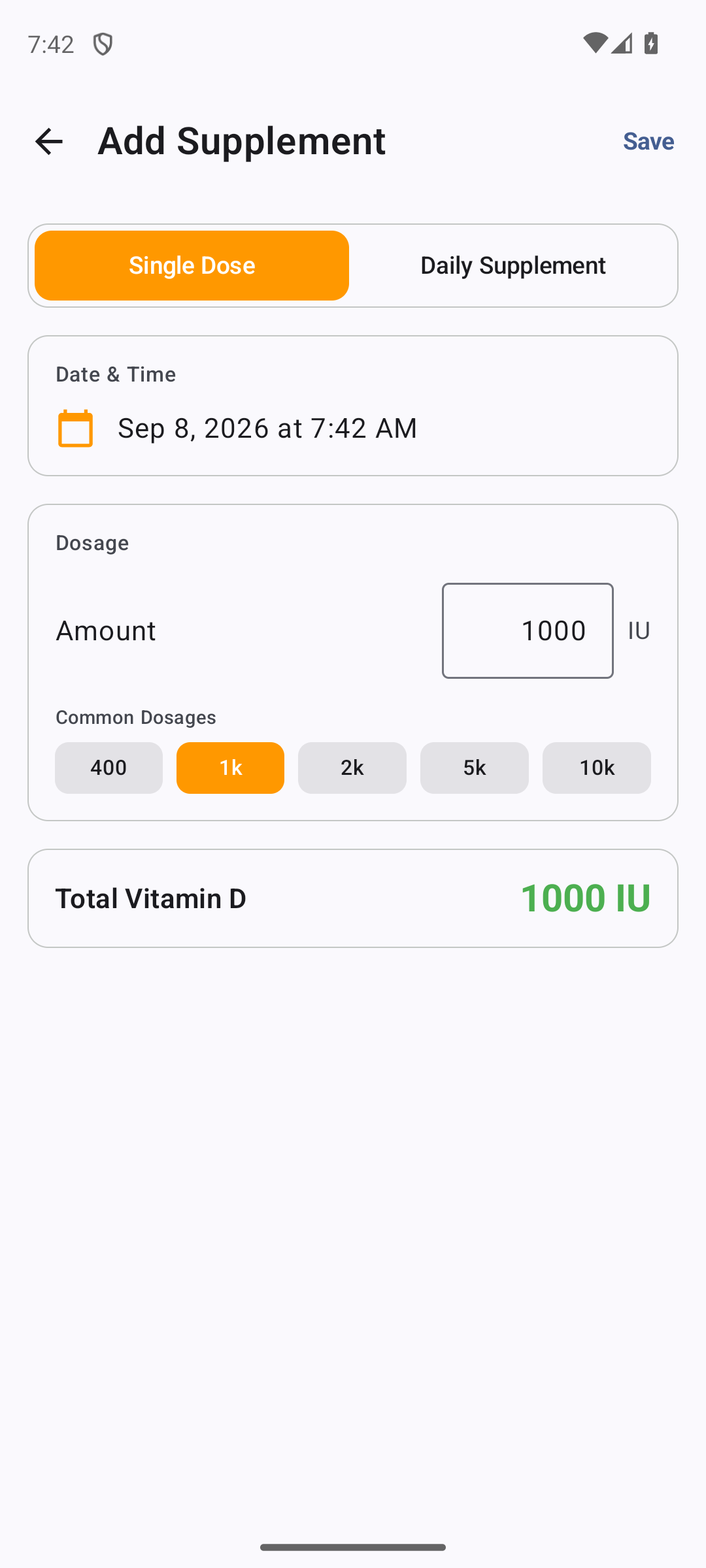
Type the amount in IU and tap Save. That's it — the dose is recorded on today's date as a single entry. A one-time prescription bolus like Hidroferol belongs here: you took it once, so it's logged once.
Made a mistake? Delete it from History
A one-off dose lives in your History like any other entry. If you typed the wrong number or picked the wrong day, delete the entry — and it stays gone. Because it was never a recurring rule, there is nothing behind it to regenerate the dose the next time you open the app.
Set up a daily supplement
For a supplement you take every day, a short wizard starts with the question you can actually answer — not "how many IU?" but "what do you take?"
Start the daily wizard
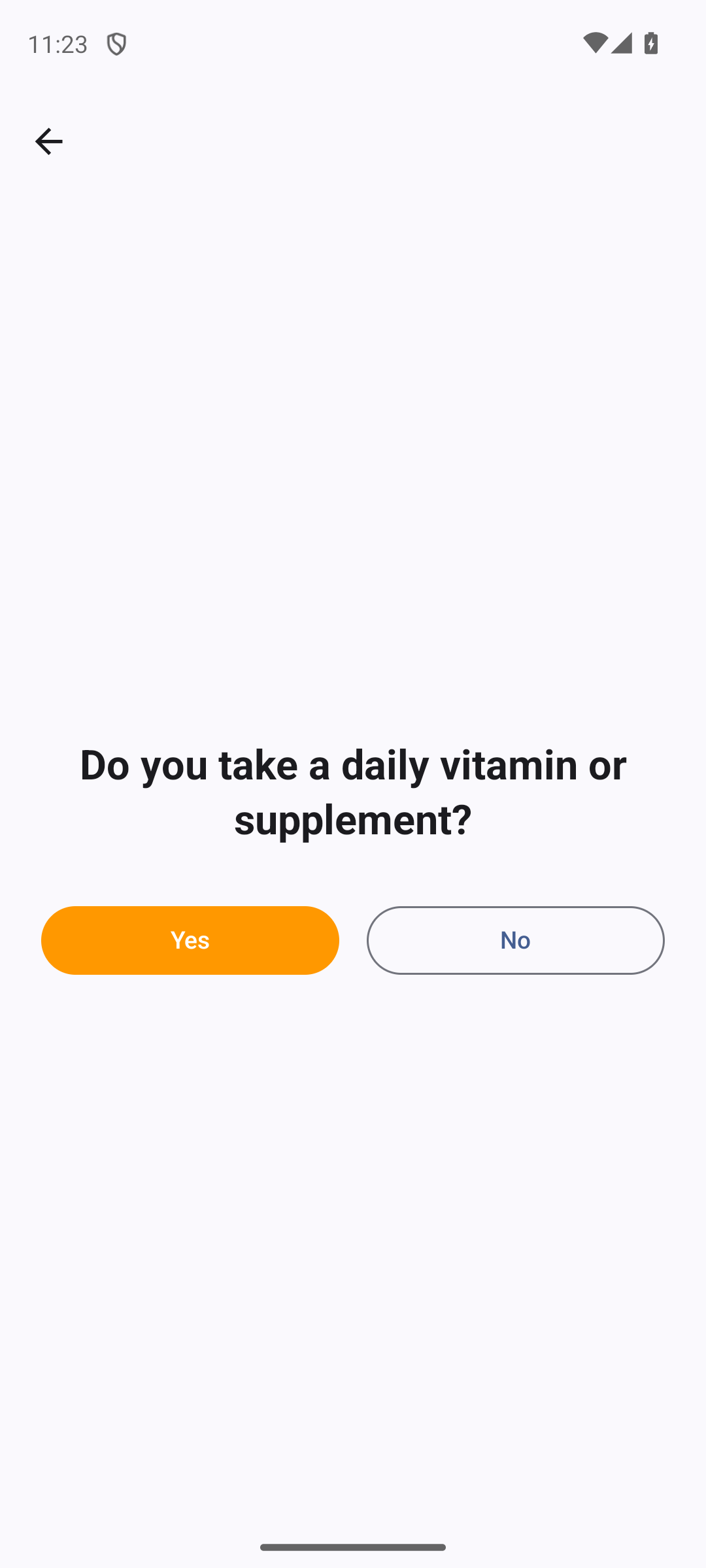
On Android, open the History + menu and choose Set Up Daily Supplement; on iOS, open Settings → Health & Data → Daily Supplements and add one. The wizard opens by asking "Do you take a daily vitamin or supplement?" — tap Yes to begin.
Pick what you take
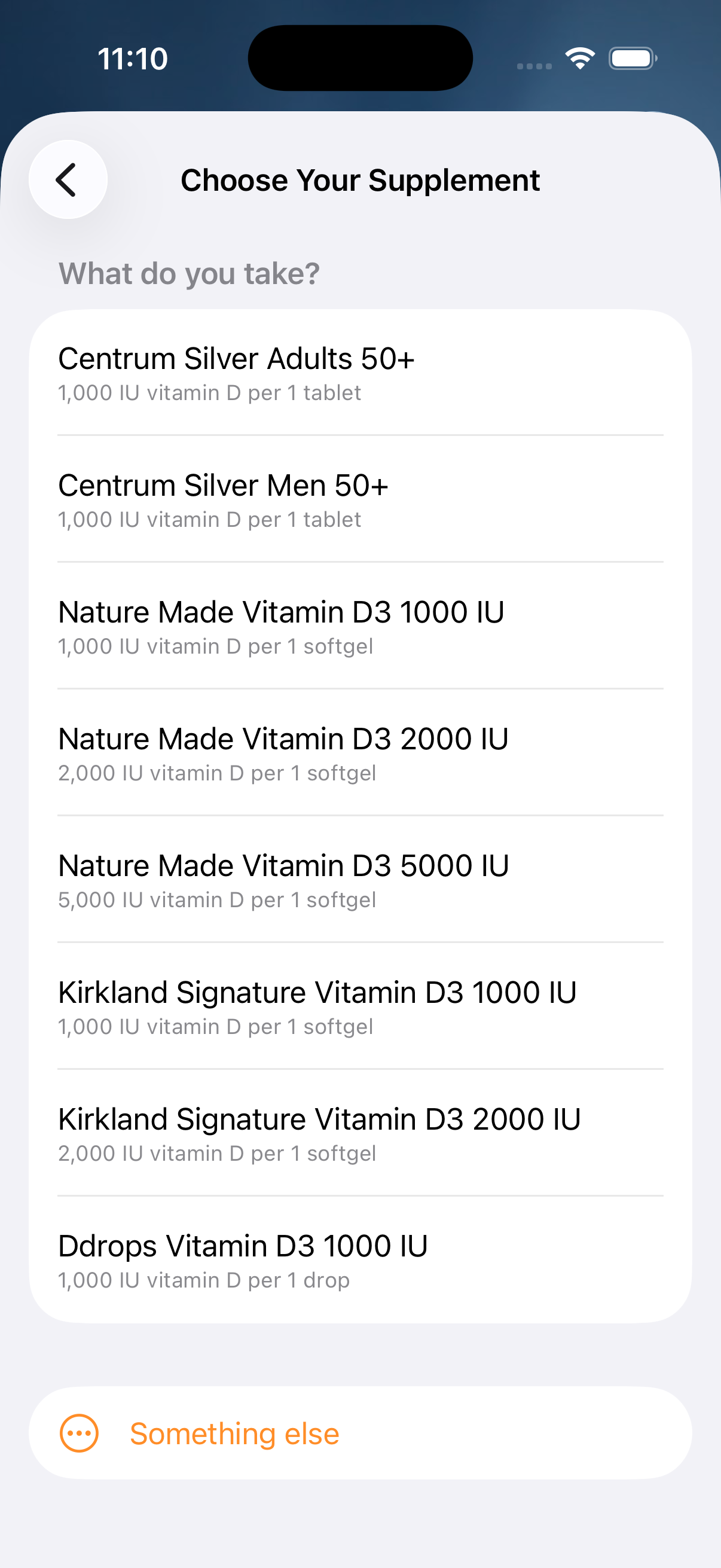
"What do you take?" Choose your product from the list and the label math is done for you — each product's IU-per-serving is taken from the manufacturer's own supplement facts, never guessed. Don't see yours? Pick Something else and enter the amount by hand.
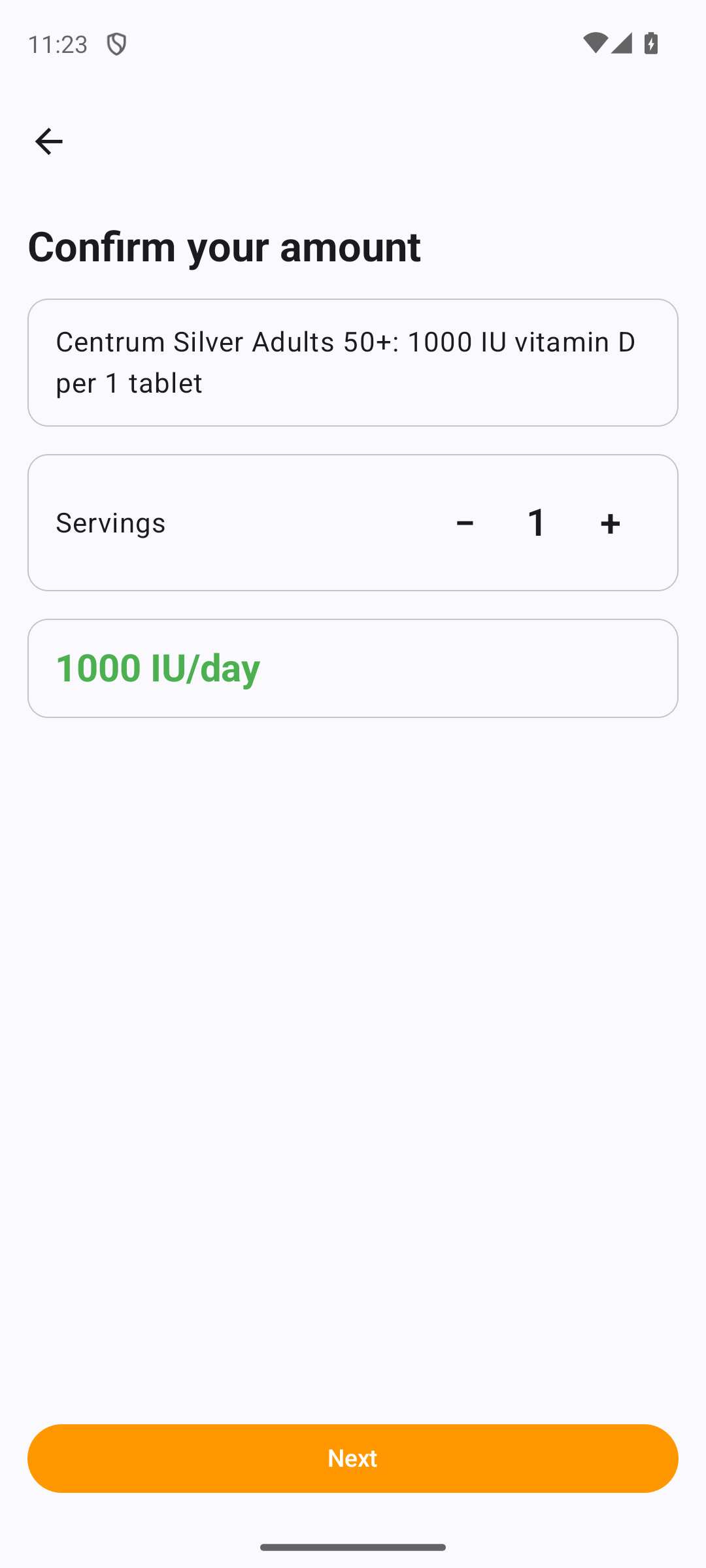
Confirm your amount
"Confirm your amount." Set how many servings you take, and the wizard shows the daily total it will log — for example 2 servings of a 1,000 IU softgel is 2,000 IU/day. Adjust the servings until the total matches what you actually take.
Choose when, and whether to be reminded
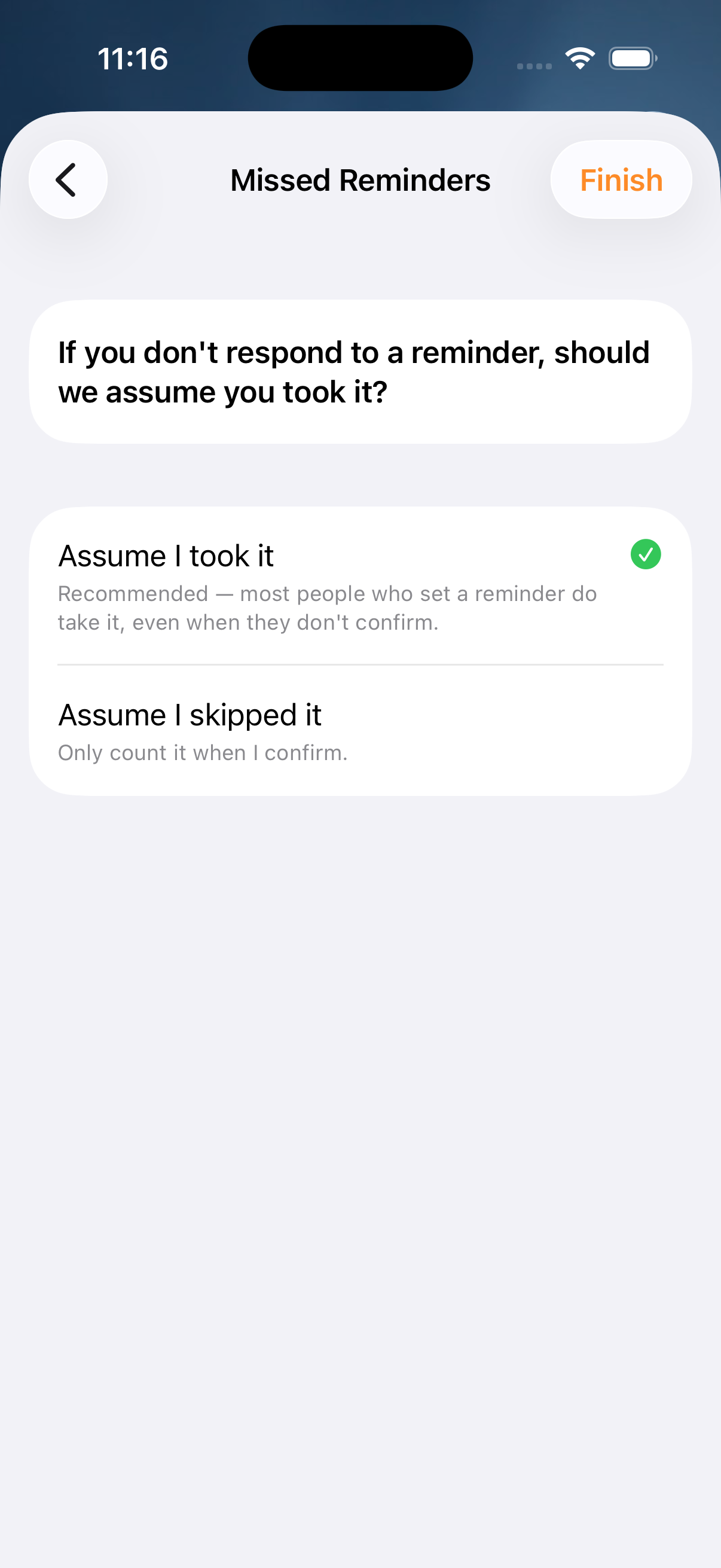
"When do you take it?" Pick the time of day. Turn on Remind me daily to get a nudge at that time. If you leave a reminder unanswered, the wizard asks whether it should assume you took it or skipped it — so your record stays honest either way.
Save — now it runs every day
Tap Save and the schedule is live. From now on it generates one supplement entry per day toward your goal, without you re-entering anything. Take a supplement at two different times? Set up a second schedule the same way — each time of day is its own schedule, and the day's total adds them together.
Weekly or monthly doses
A schedule can repeat every day, every week, or every month. Use weekly for a prescription like 50,000 IU once a week, and monthly for a dose you take once a month.
Open the schedule form
On iOS, tap the + on the Home screen, choose Supplement Dose, then switch Type at the top from Single Dose to Daily Supplement. You can also reach this form from Settings → Health & Data → Daily Supplements, or from Something else in the daily wizard. On Android, open Settings → Health → Daily Supplements, or choose Something else in the daily wizard.
The product-picker wizard (pick your product, set servings) always creates every-day schedules. For weekly or monthly, use this form and enter the amount yourself.
Choose how often it repeats
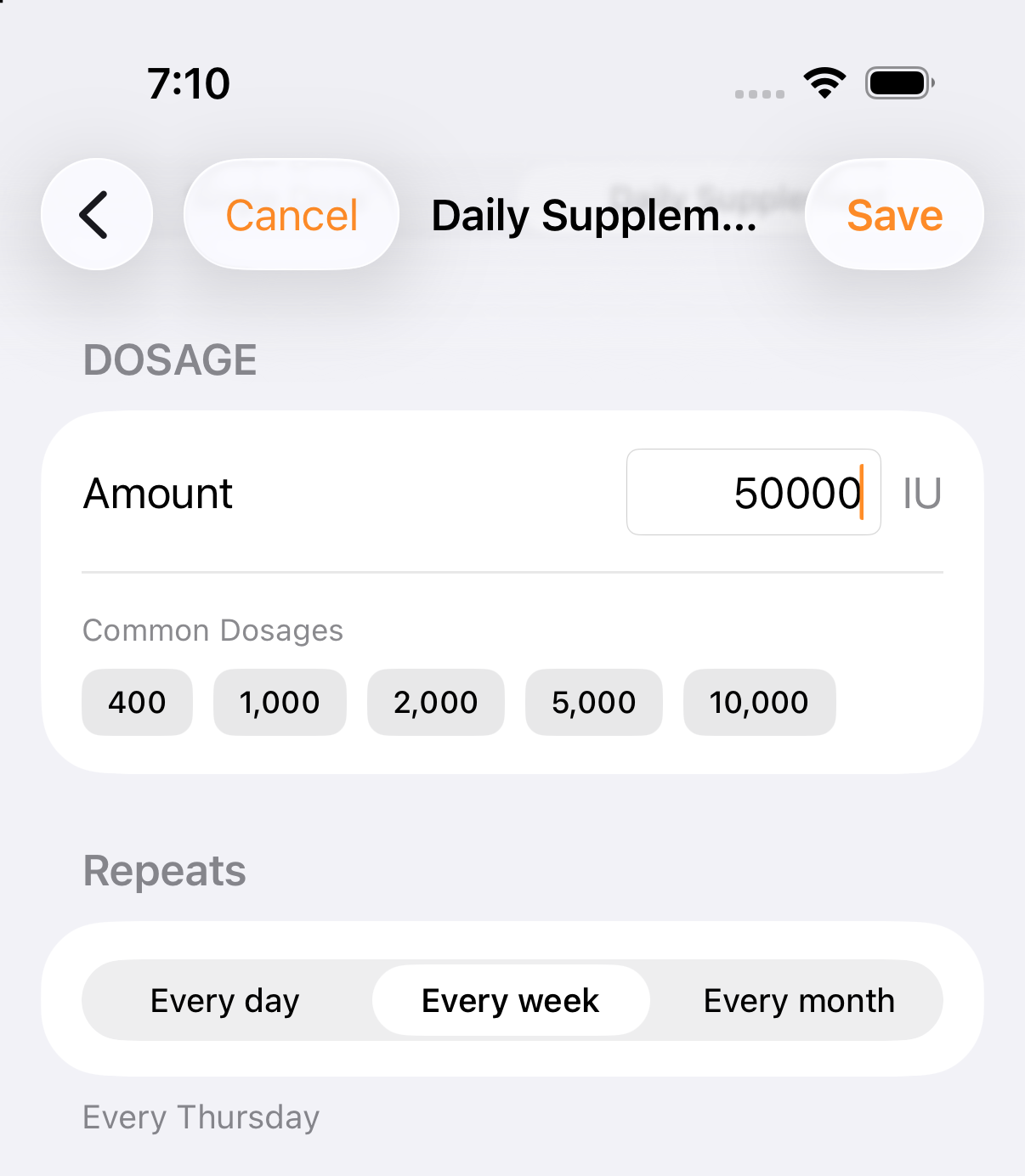
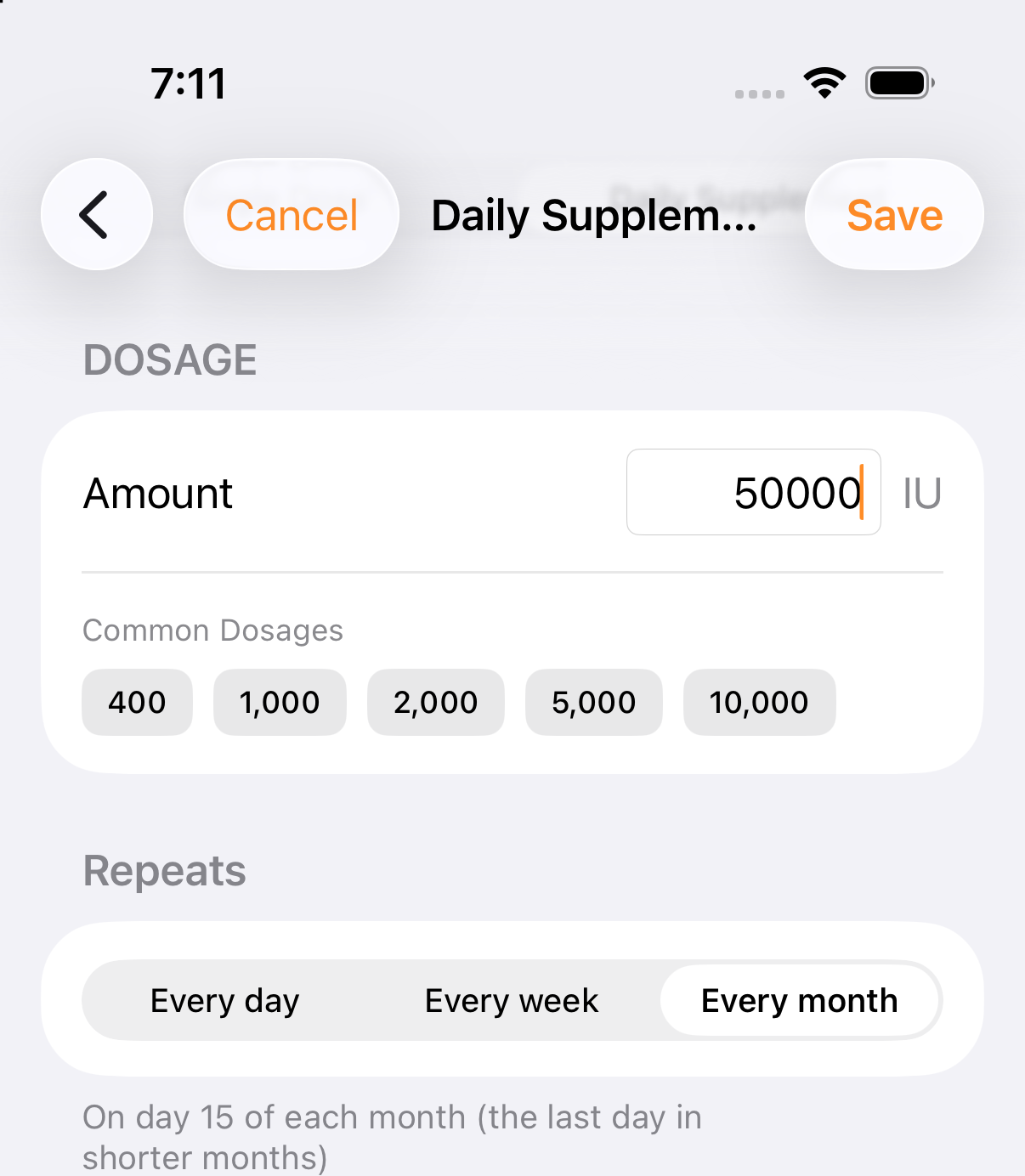
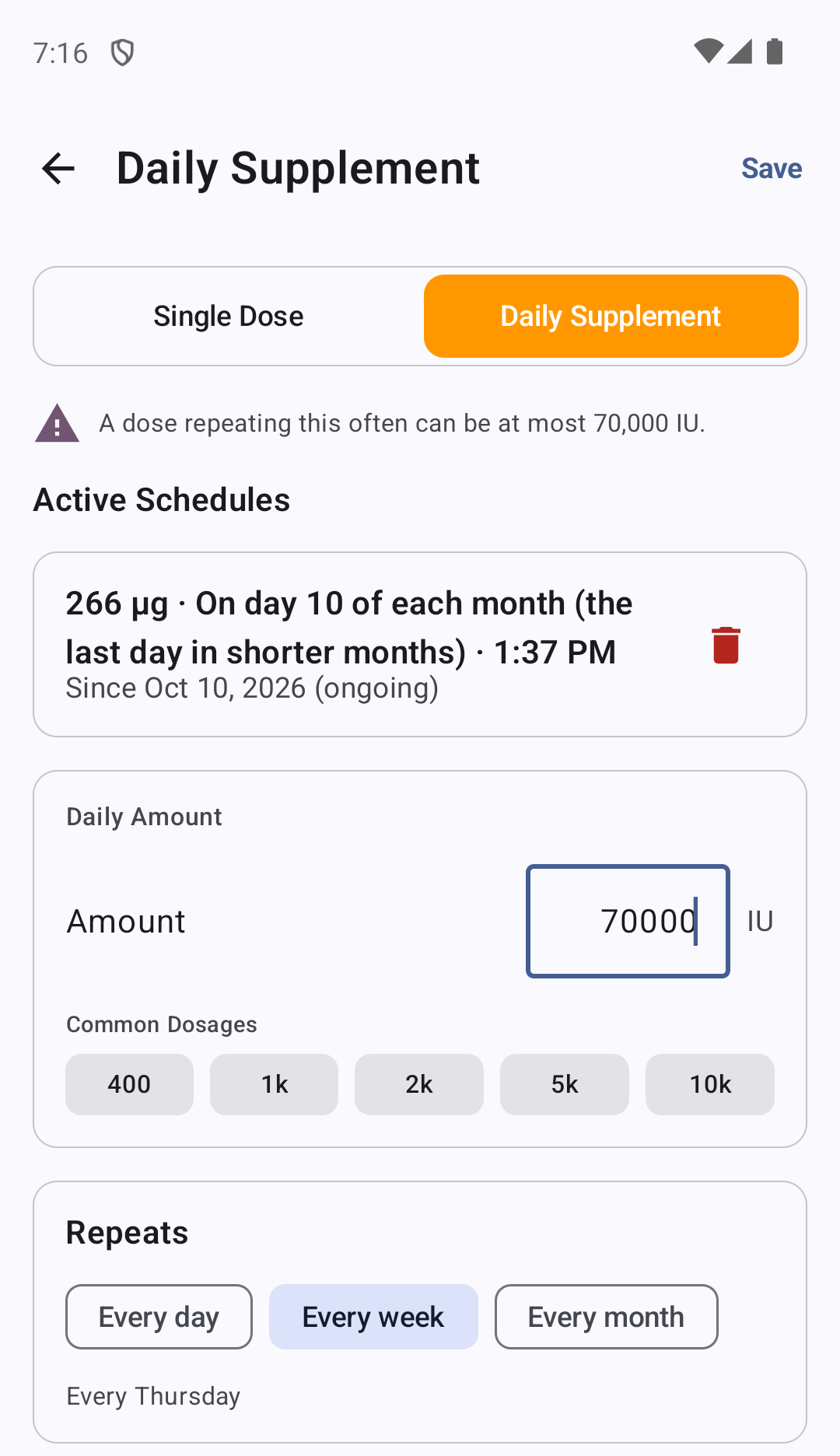
Find the Repeats control and choose Every day, Every week, or Every month. Then set the amount, the time (Time), and the start date (From).
Every week: the dose lands on the weekday of your start date. The app shows it as, for example, "Every Sunday".
Every month: the dose lands on the day of the month of your start date. The app shows "On day N of each month (the last day in shorter months)". A schedule that starts on the 31st lands on Feb 28 or 29, Apr 30, and so on.
Stay under the limit for how often it repeats
The most a weekly dose can be is 70,000 IU. The most a monthly dose can be is 280,000 IU. If you go over, the app lowers the amount to the limit and tells you so.
Get a reminder on each dose day
Weekly and monthly schedules send a reminder at the scheduled time on each dose day. The title is "Today's dose", followed by your dose, for example "Vitamin D 50,000 IU". Every-day schedules keep the Remind me daily option from the wizard.
Monthly calcifediol (Hidroferol)
Calcifediol is a prescription form of vitamin D, common in Spain (for example Hidroferol). D-Minder logs it separately, in micrograms (µg). It is never converted to IU.
Open the calcifediol form
On Android, open the History tab, tap the + button and choose Calcifediol Dose. On iOS, open the History tab, tap the + at the top right and choose Calcifediol. Enter the amount in µg and the date.
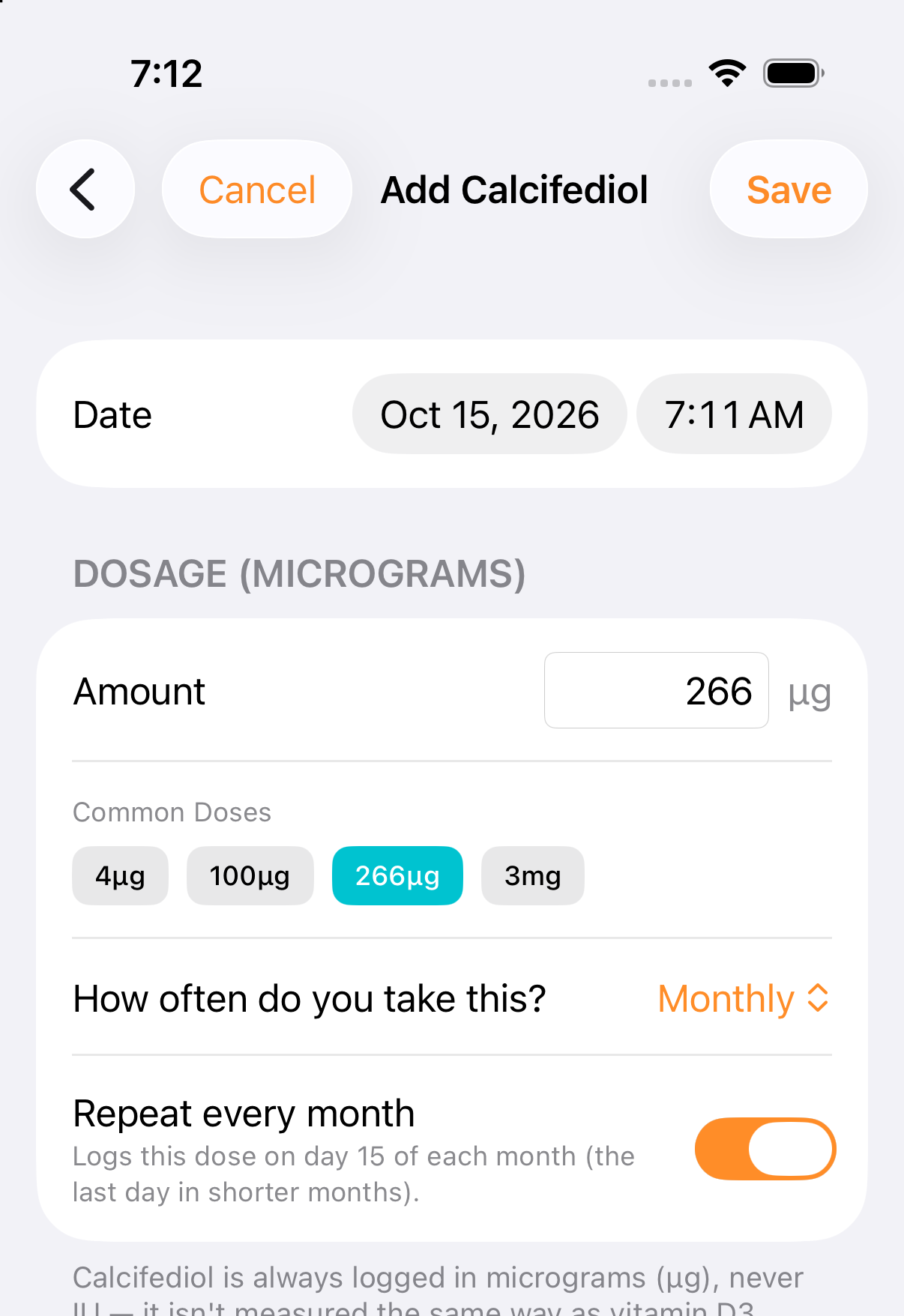
Turn on "Repeat every month"
Turn on Repeat every month. The app explains: "Logs this dose on day N of each month (the last day in shorter months)." Each month's capsule is then logged for you, with a reminder on the day.
A monthly calcifediol dose can be at most 980 µg. For a one-time calcifediol dose, leave Repeat every month off.
Manage or remove repeating schedules
Every recurring rule lives in one stable place on both platforms — so a schedule you no longer want is always easy to find and delete.
Open Settings → Daily Supplements
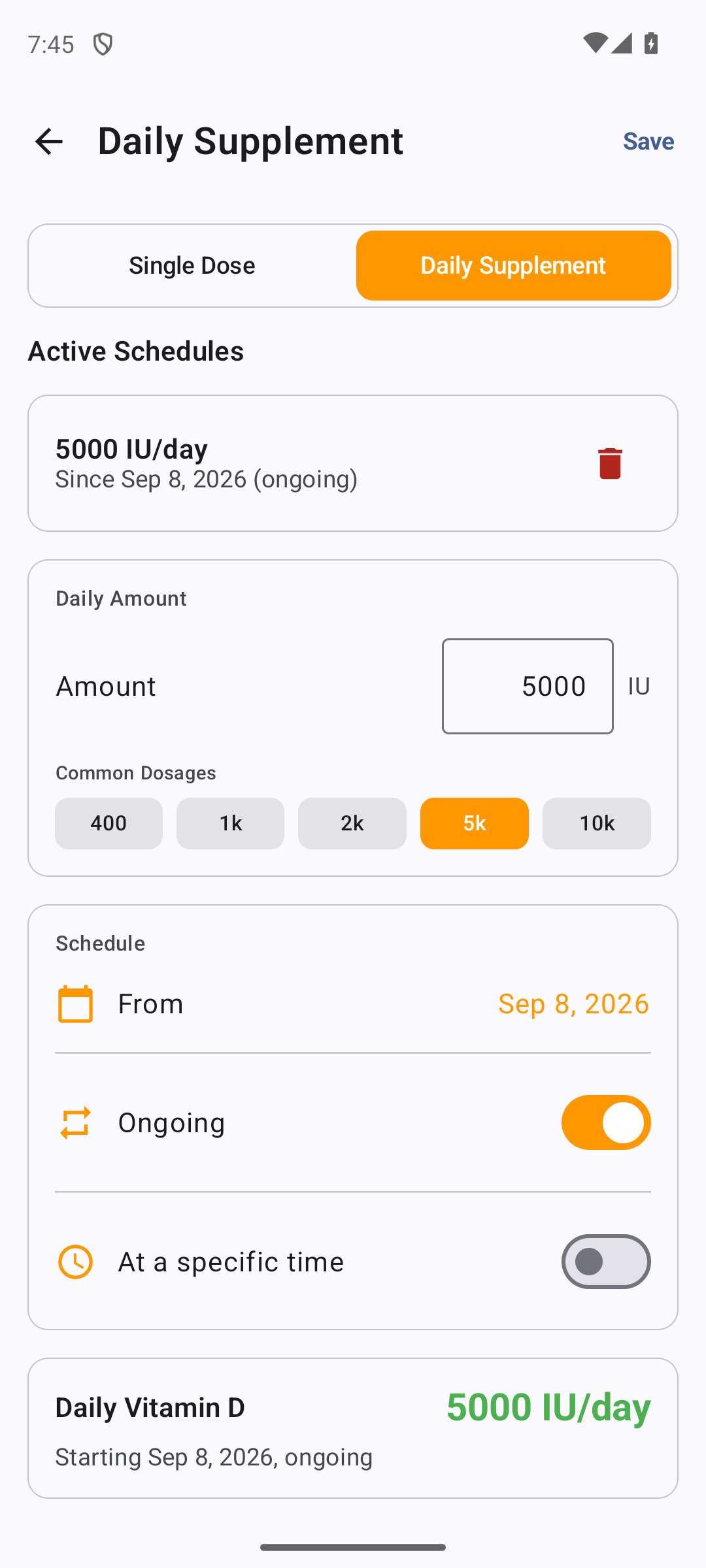
On Android it's Settings → Health → Daily Supplements; on iOS it's Settings → Health & Data → Daily Supplements. Both open the same thing: a list of your recurring schedules, each showing its amount and time, with a control to remove it.
Delete removes the rule for good
Deleting a schedule here stops it from generating any more entries. This is the right place to undo a schedule you set up by mistake — unlike deleting a single day's entry, removing the rule means the dose won't come back tomorrow.
Delete a single entry from History
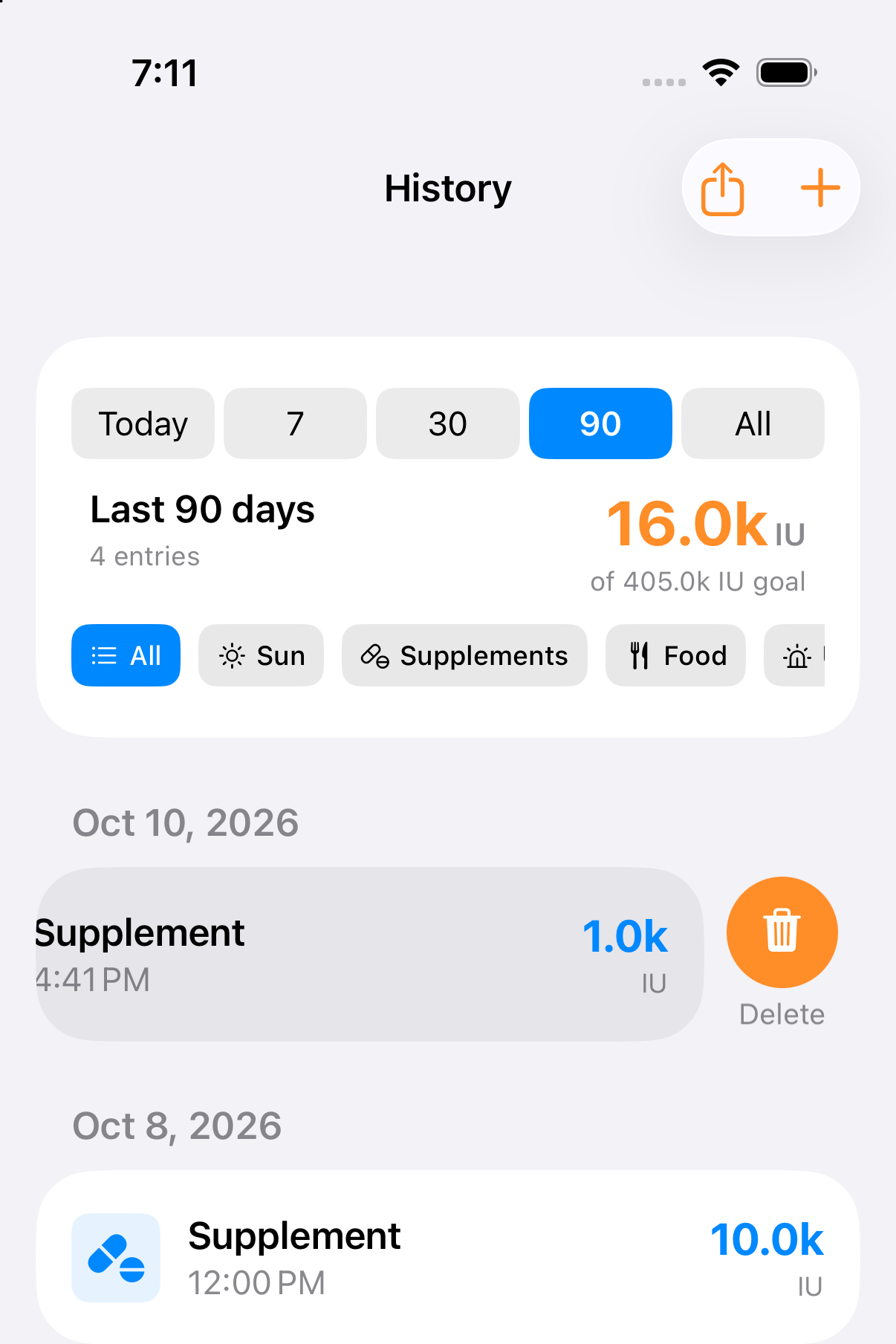
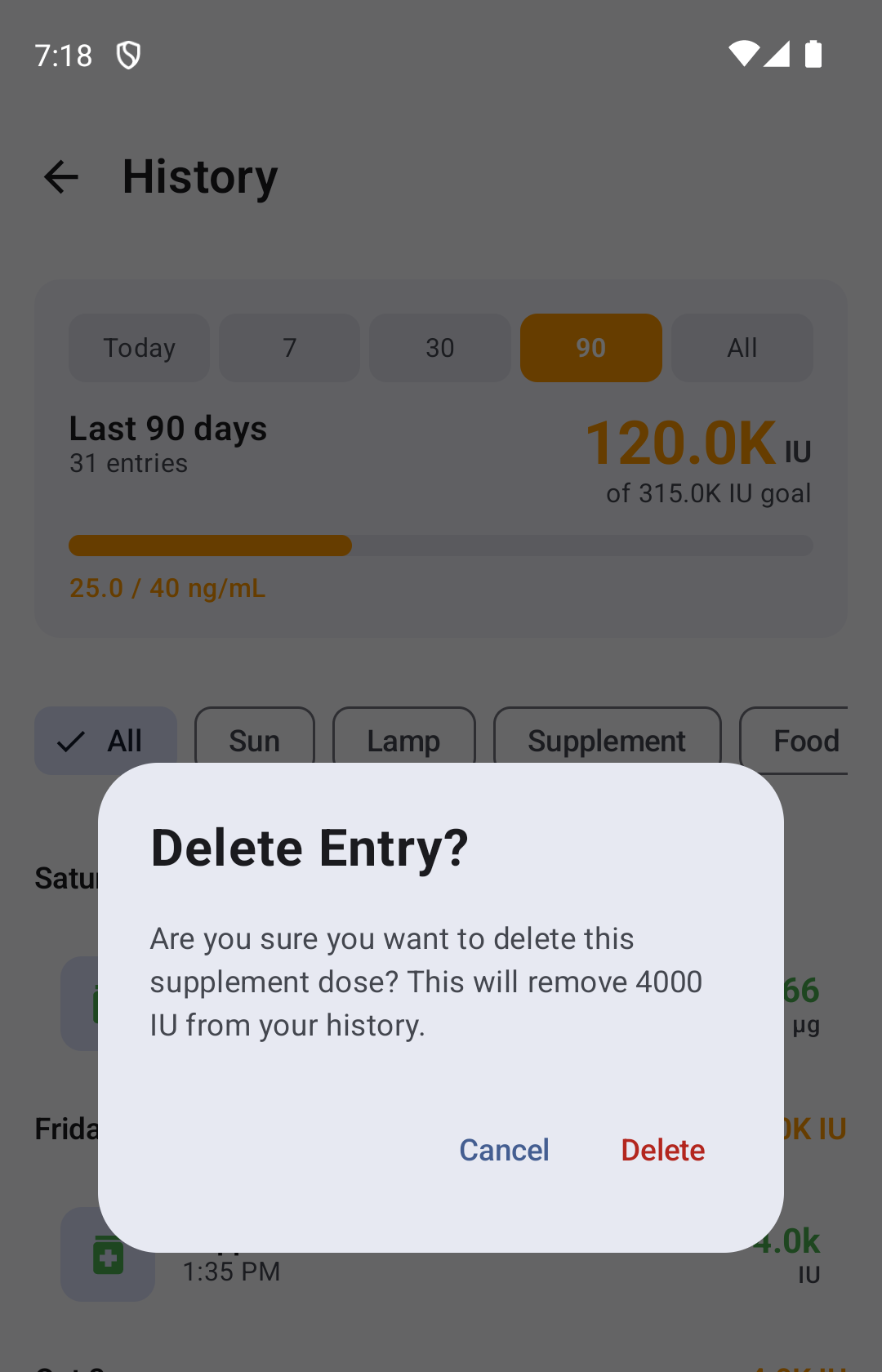
On Android, tap the entry (or swipe it to the left) and confirm Delete. On iOS, swipe left on the entry in History and tap Delete. Deleting one generated entry does not stop the schedule. To stop future entries, remove the schedule under Settings → Daily Supplements.
Dose limits — what the app accepts, and why
D-Minder is a diary: if a clinician prescribed it, you should be able to record it. The limits exist only to catch typos, not to second-guess your prescription.
Single doses: up to 300,000 IU. High-dose repletion protocols are real medicine — 50,000 IU weekly is a standard US prescription, 60,000 IU weekly or fortnightly sachets are the standard protocol across India and much of Asia, and one-time 300,000 IU "stoss" repletion doses are used for severe deficiency. All of them record normally. Anything above 300,000 in one entry is almost certainly a slipped digit, so the app stops there.
Daily schedules: up to 10,000 IU per day. A daily schedule is ongoing intake, so it follows the Institute of Medicine's tolerable upper limit for continuous supplementation — a different question from a one-off prescribed bolus, which is exactly why the two have different ceilings.
Weekly and monthly schedules: up to 70,000 IU per weekly dose and 280,000 IU per monthly dose. A monthly calcifediol dose can be at most 980 µg.