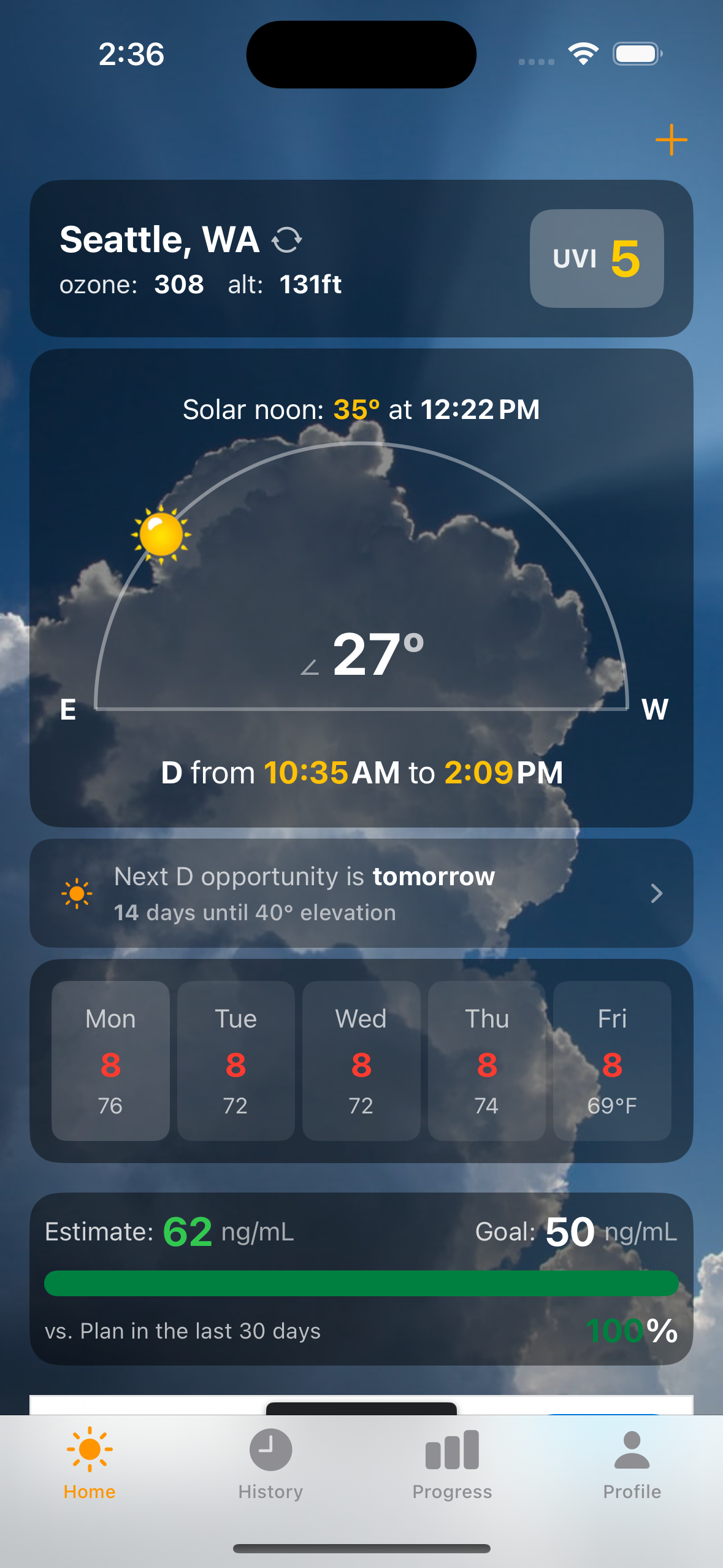
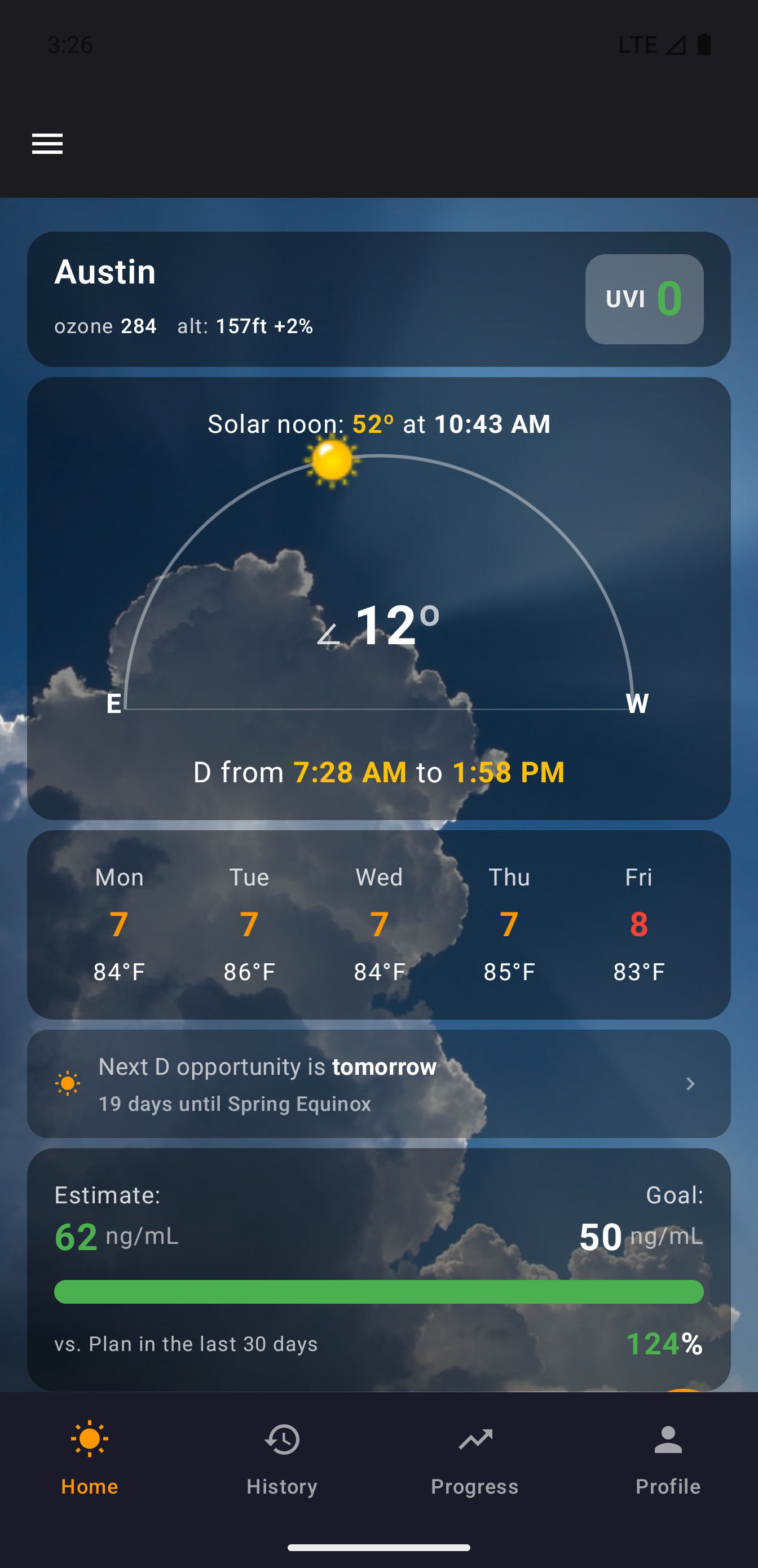
App Gallery
A visual tour of every screen in dminder, with design rationale and implementation notes. Choose your platform.
A visual tour of every screen in dminder, with design rationale and implementation notes. Choose your platform.
Start a sun session, then keep using the app. Browse your history, check your progress, update your profile — your timer keeps running in a compact bar at the bottom of every screen.
Tap it to expand back to the full timer. Swipe the time display to toggle between elapsed and countdown. Your session is always one tap away.
Setting up a daily supplement used to open with a question almost nobody can answer: how many IU? The wizard opens with the question everyone can: what do you take? Pick your product and the label math is done for you — every IU value verified against the manufacturer's own supplement facts, never guessed.
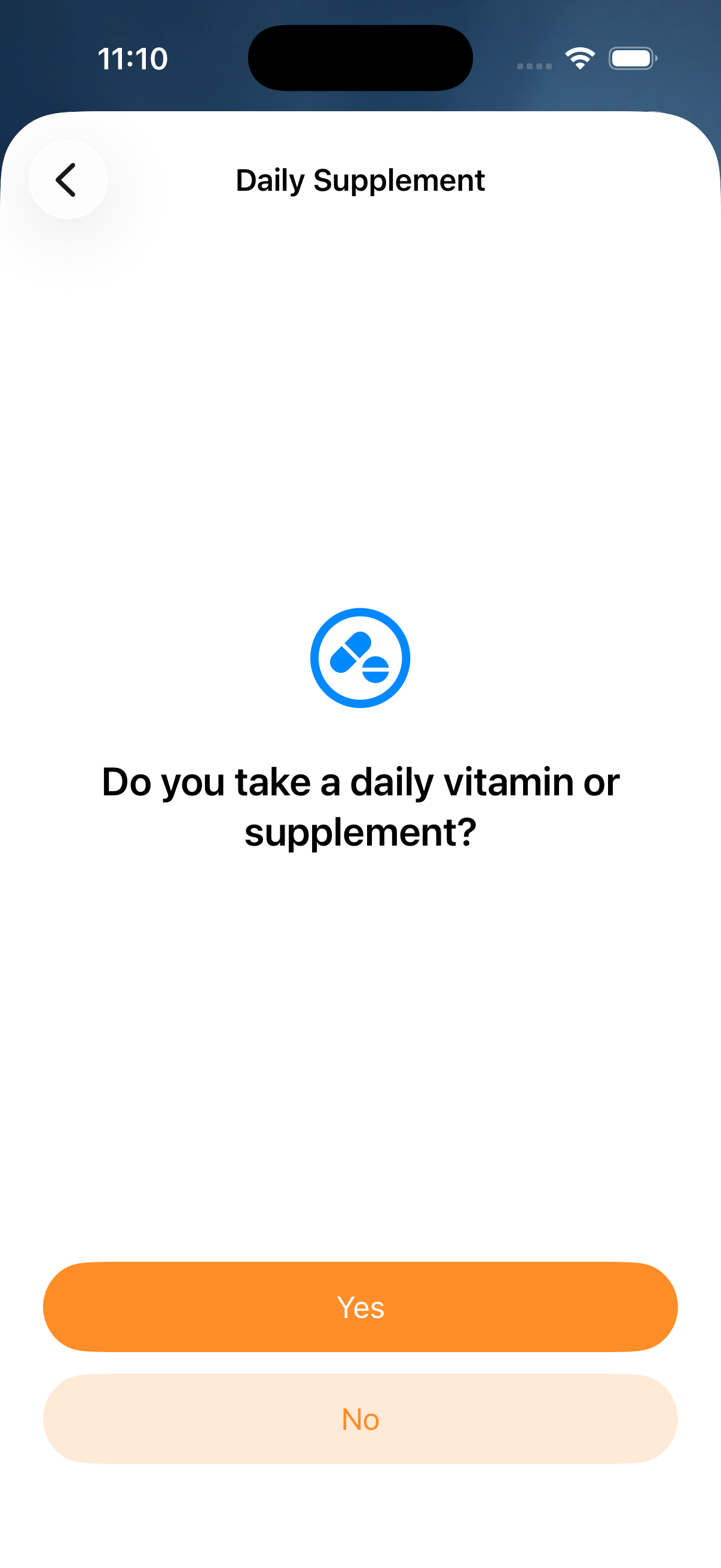
One human question
The flow starts with something you actually know.
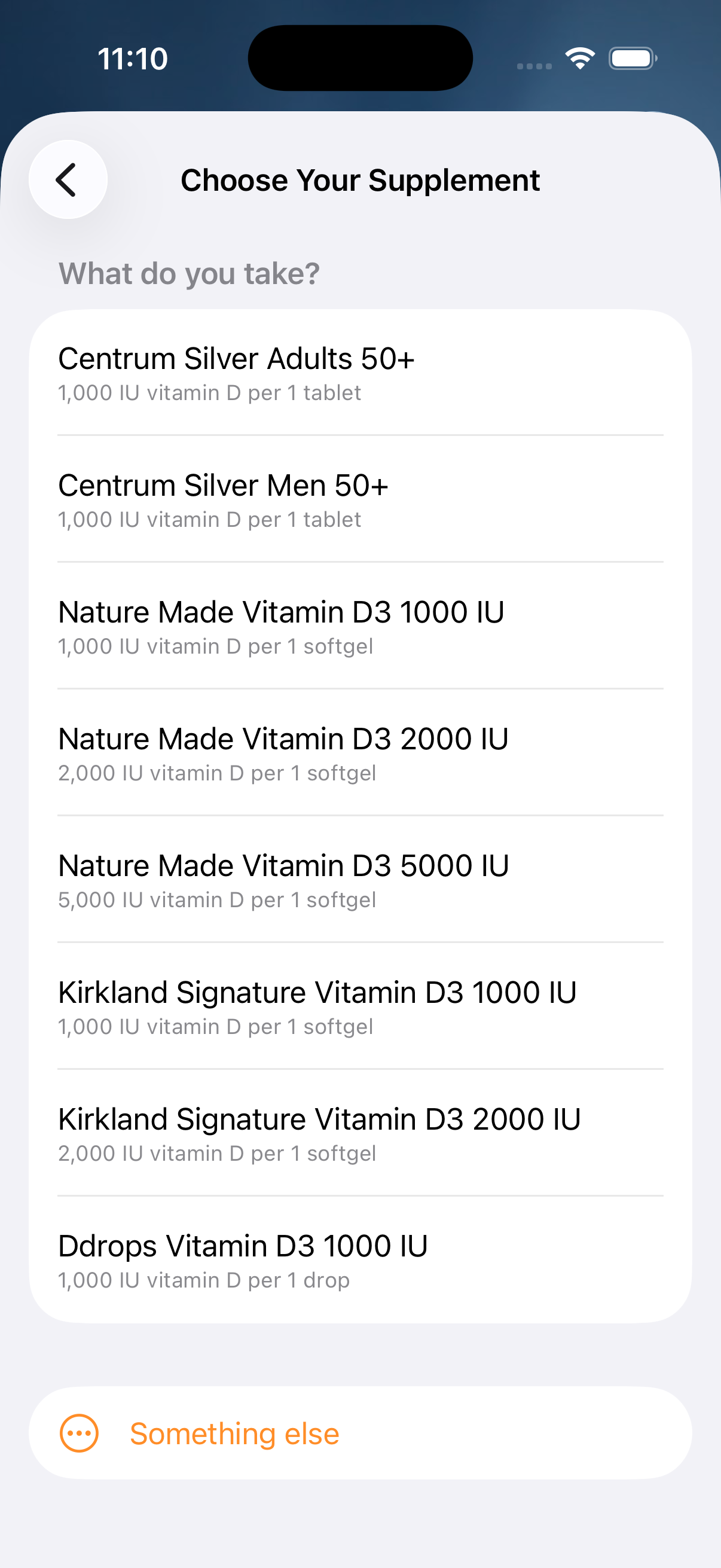
Pick your product
Label-verified IU per serving under every name. “Something else” keeps the classic form.
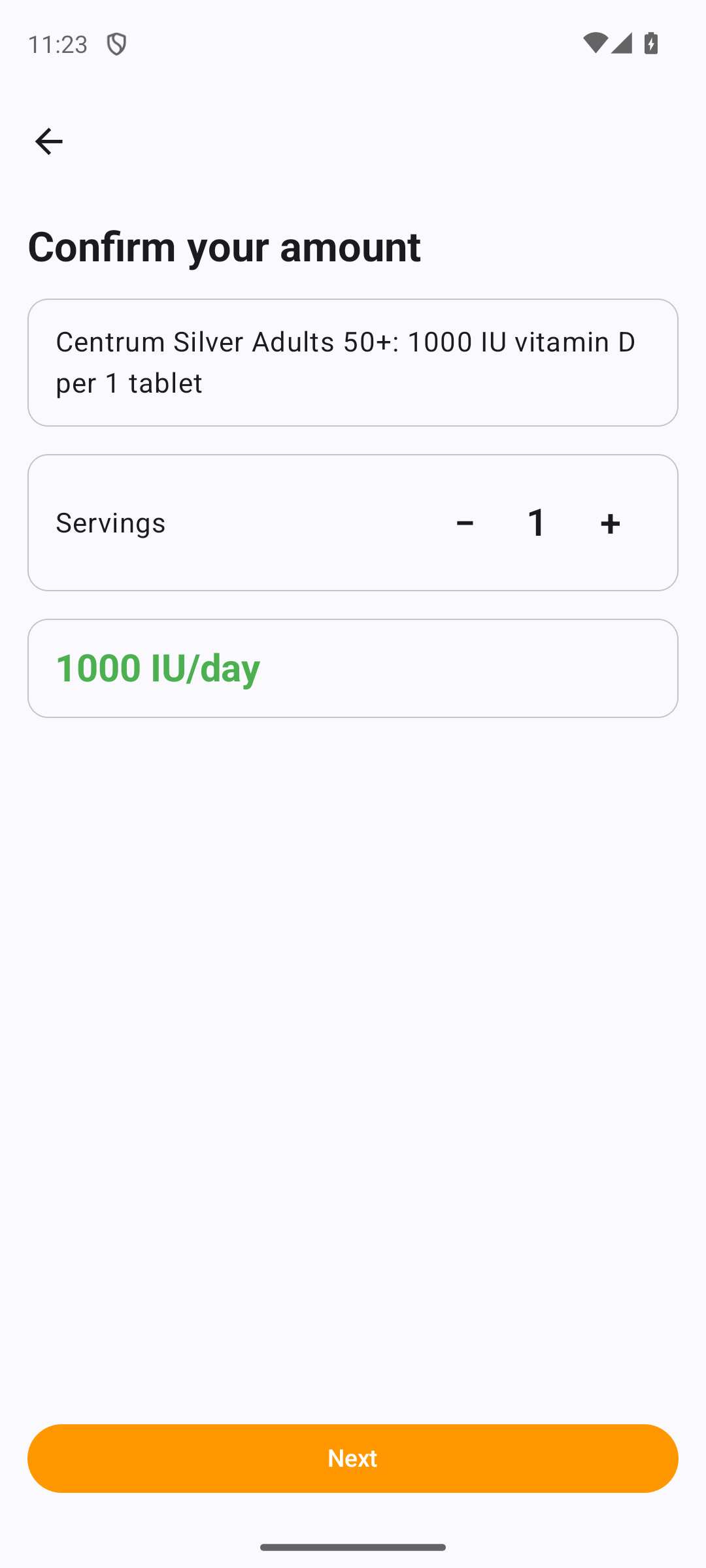
Servings, not arithmetic
Two tablets? Tap plus. The IU total follows the label.
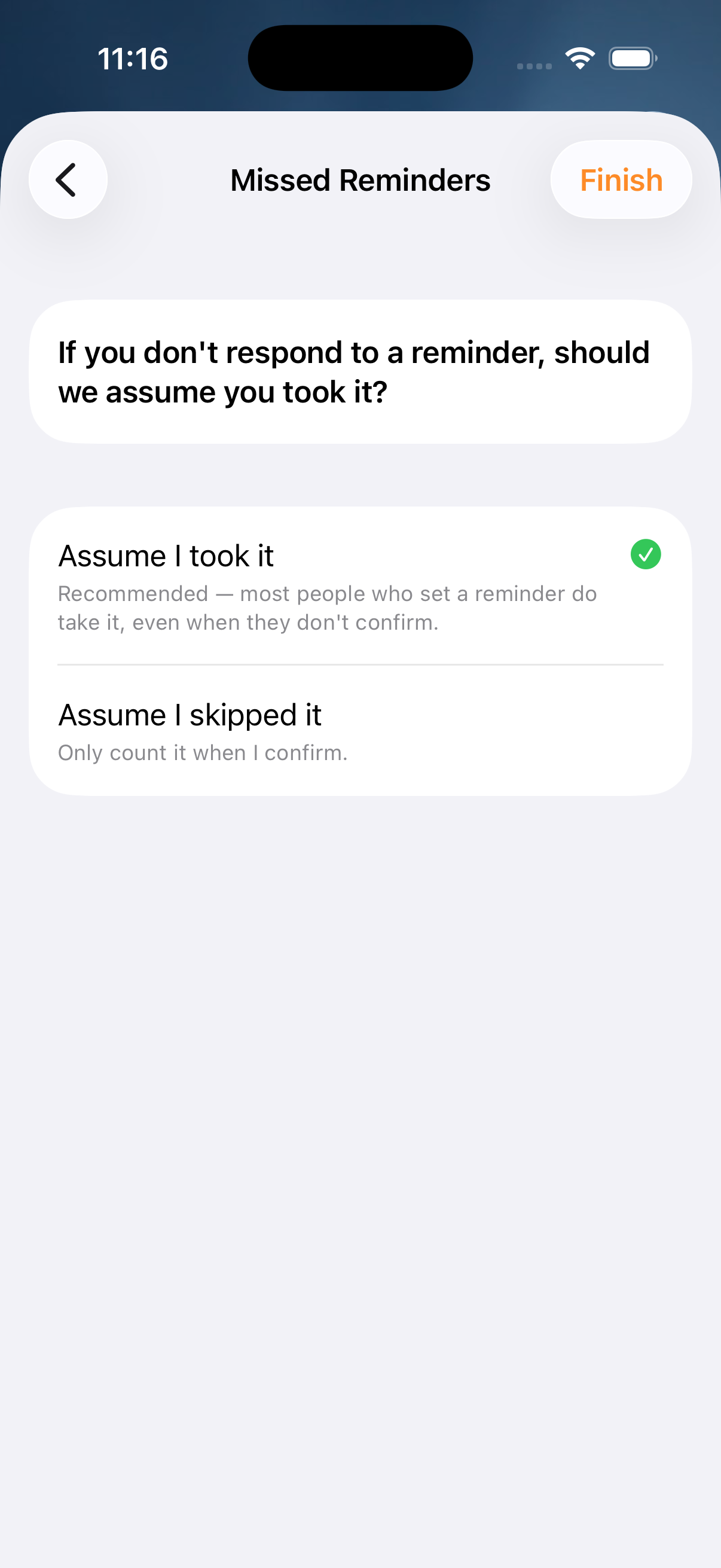
Honest about missed reminders
You decide what an unanswered reminder means — because your blood-level estimate depends on it.
Why a wizard? Because a diary should never make you do label math — and because the difference between “assumed taken” and “confirmed taken” is real data, not a guess. The same product table and dose limits live in one shared core, so iOS and Android can never disagree.
A one-time prescription bolus — a Hidroferol ampoule, say — is a fact about today. A daily D3 softgel is a rule about every day. They are genuinely different things, so the add menu now lists them as two separate items: Supplement Dose for a one-off, and Set Up Daily Supplement for a recurring schedule.
Why this section exists. In 10.8.0, every supplement entry funneled into the daily wizard — so a user who logged a single prescribed dose got a recurring daily rule instead, one that re-inflated their estimate every morning and couldn’t be deleted from History. Splitting the menu back into two items, and giving the recurring rule a home you can reach, is the fix.
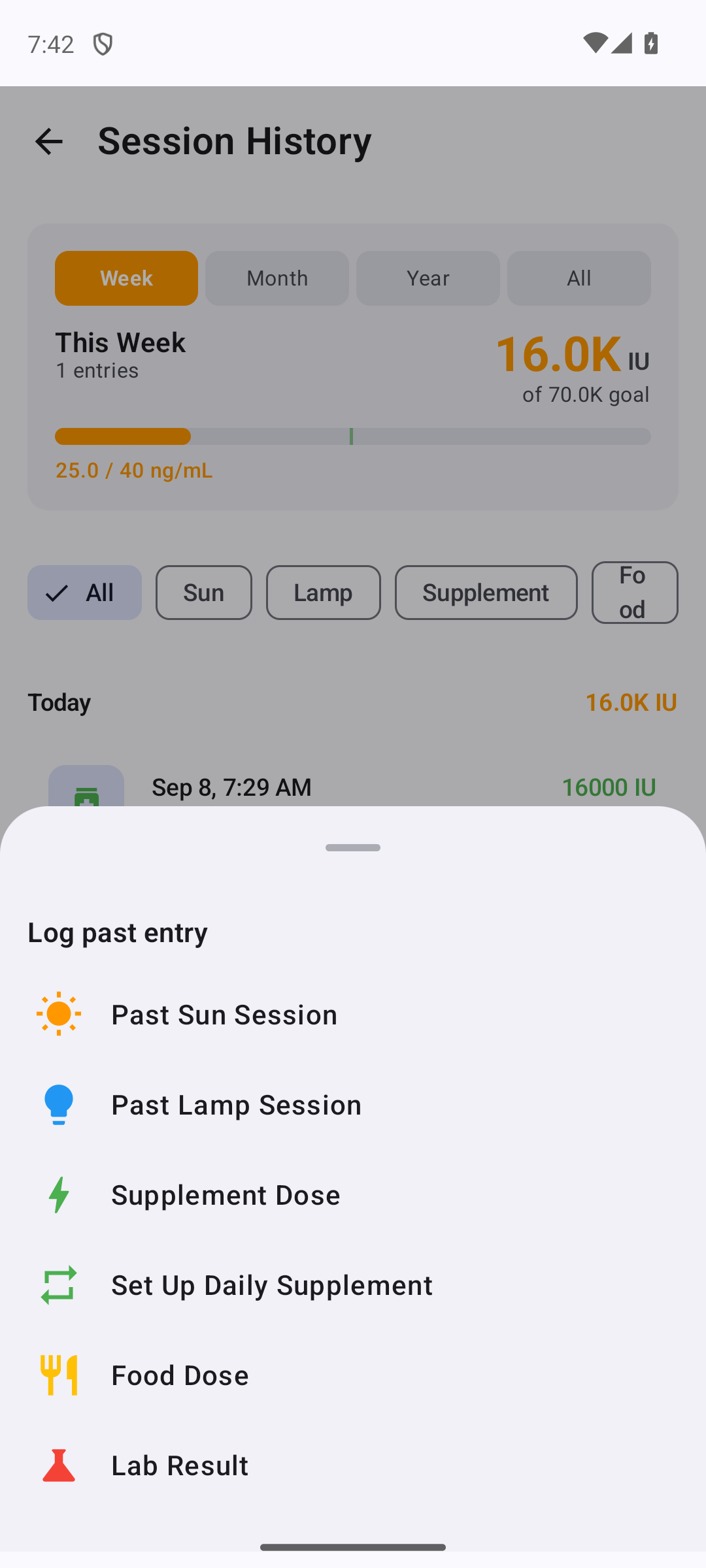
Two clearly labeled items
From the History + menu: Supplement Dose logs one dose today; Set Up Daily Supplement starts the recurring wizard. You choose which you mean before you ever type a number.
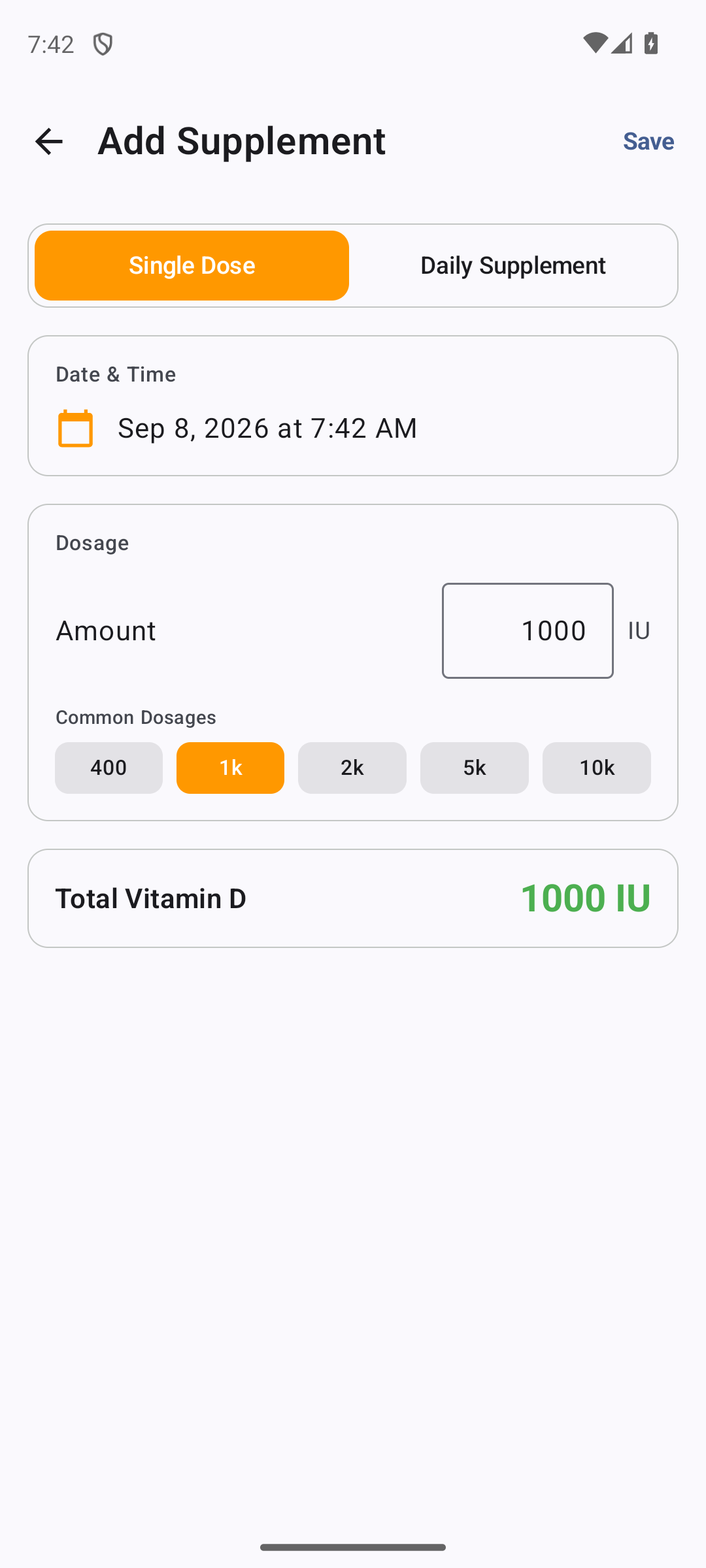
One-off: logged once, deletable
The Single Dose form records a dose on today’s date and nothing more. Delete it from History and it stays gone — there’s no rule behind it to regenerate the dose tomorrow.
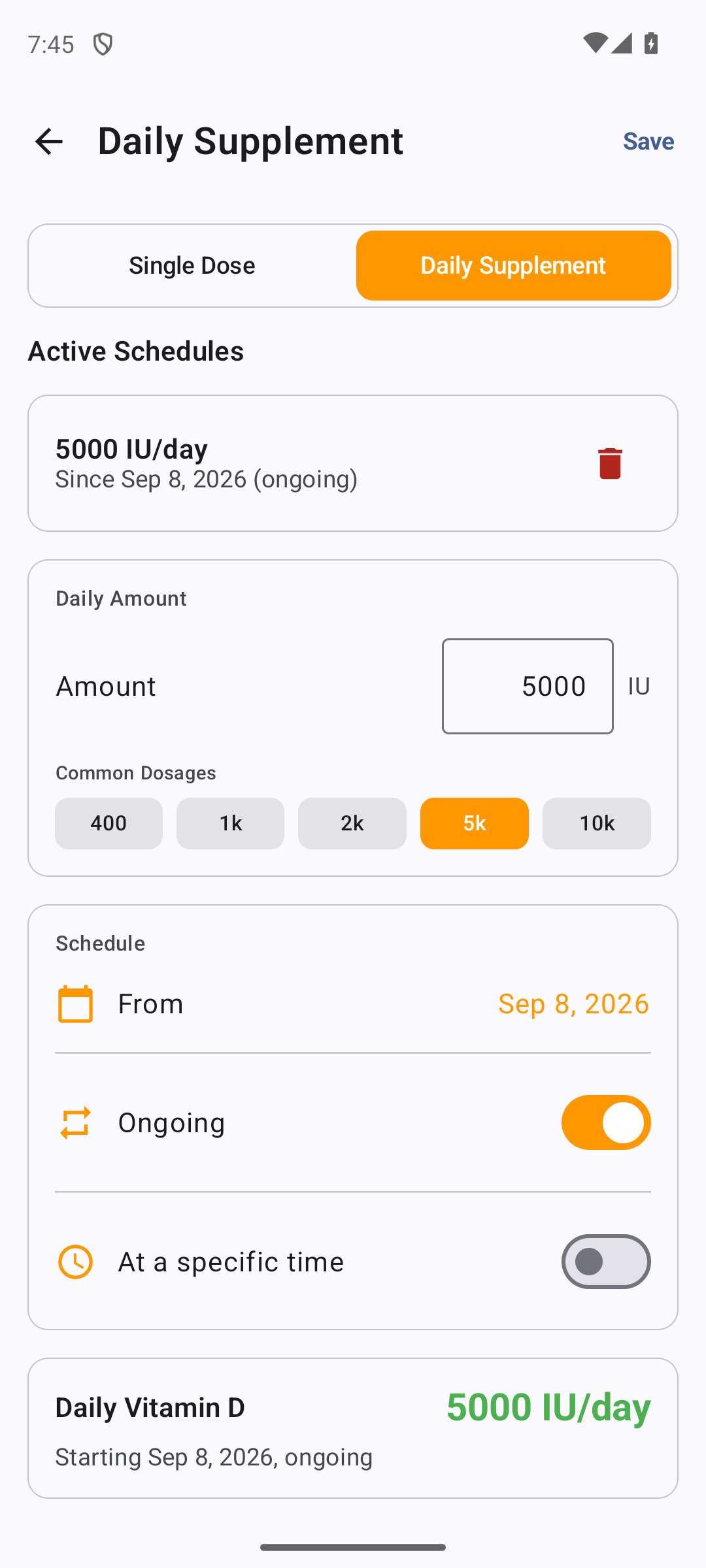
Recurring: managed in one place
Every recurring rule lives under Settings → Daily Supplements, each with a delete control — so a schedule set up by mistake is always easy to find and remove, on both iOS and Android.
The rule of thumb: took it once → Supplement Dose. Take it every day → Set Up Daily Supplement, and manage it under Settings → Daily Supplements. iOS reaches the one-off from the Home +; Android from the History + — both offer both.
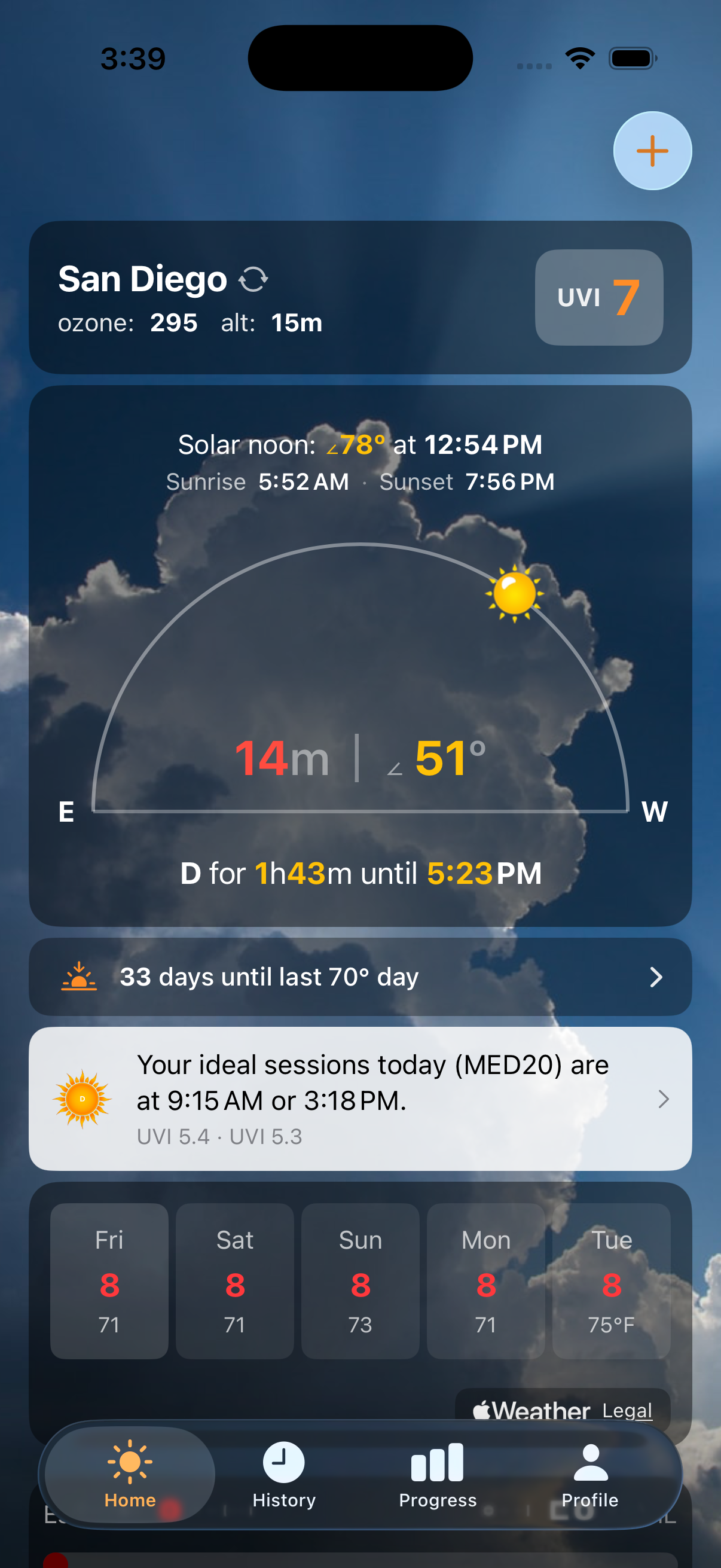
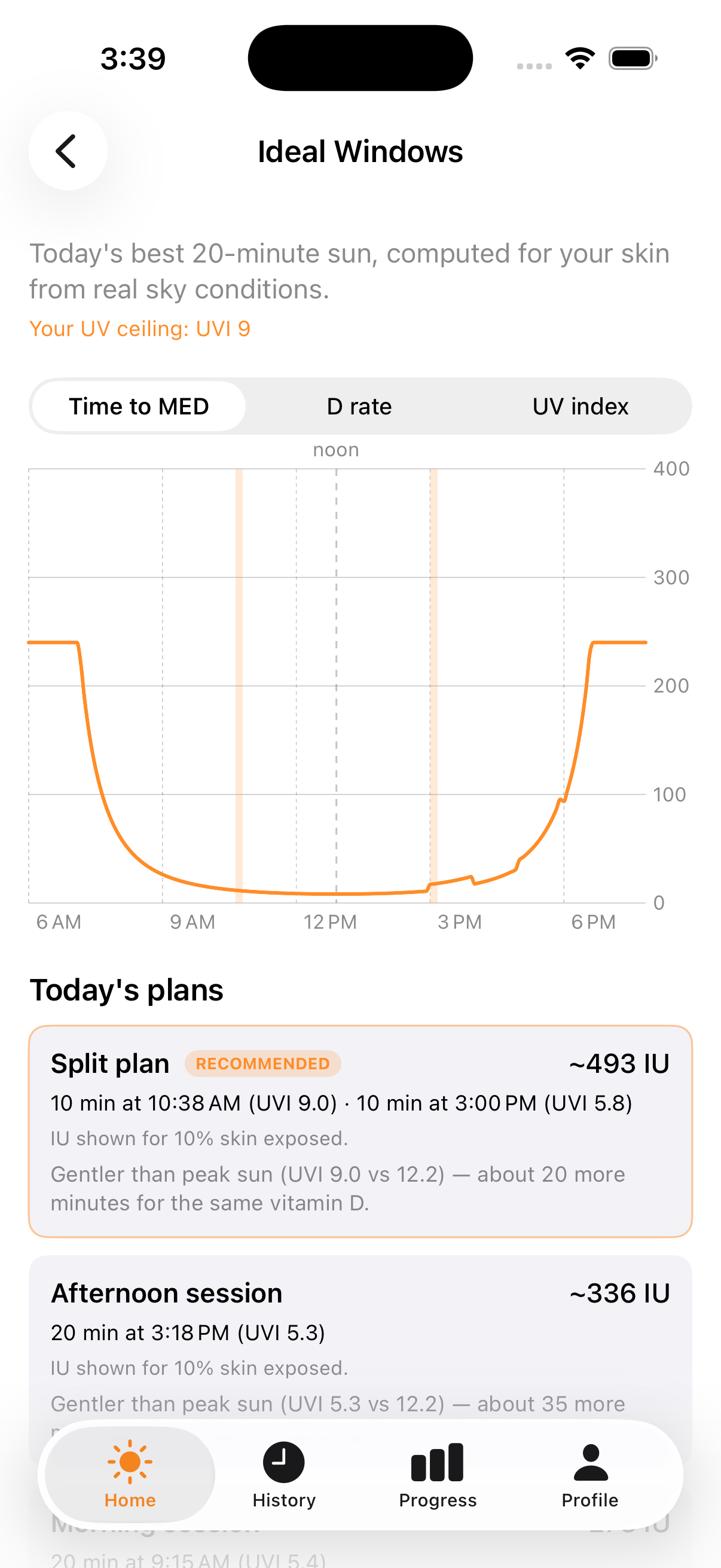
One line on your home screen with today’s best times to sit out — “Your ideal sessions today (MED20) are at 9:15 AM or 3:18 PM.” Computed for your skin type from real sky conditions, with the whole session kept safely under your burn threshold.
Tap through for the full day: time-to-MED and vitamin-D rate curves, your UV ceiling, and alternative plans — including a split plan that collects more D in two shorter sittings. Follow a plan and dminder reminds you when each window starts.
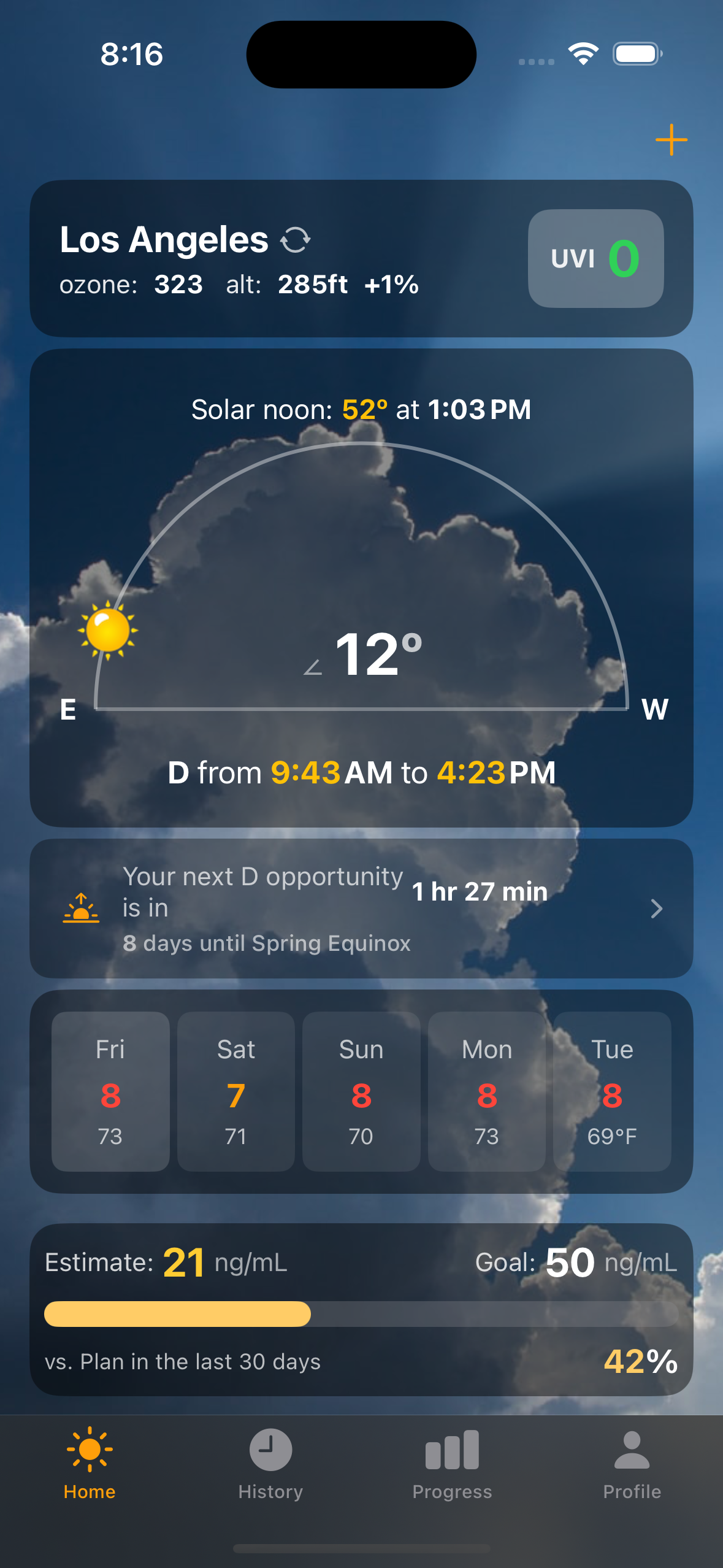
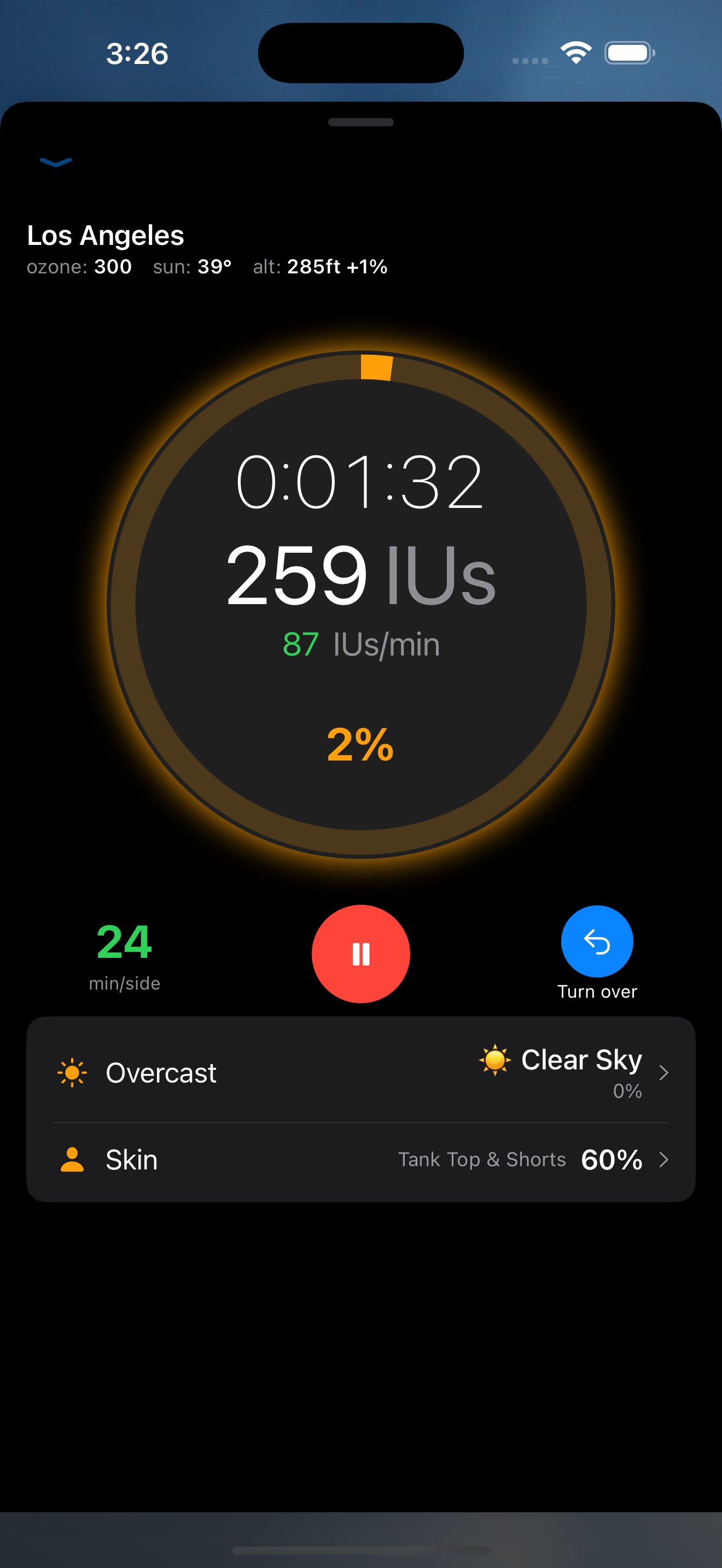
Every screen designed for OLED-friendly, eye-comfortable viewing. Follows your system appearance automatically — no toggle needed.
See all dark mode screensStart a timer on a cloudy day and dminder reads real-time cloud data — including separate low, mid, and high altitude layers — then sets your overcast level automatically. No more guessing with a slider.
Your vitamin D rate and burn time adjust instantly to actual sky conditions. On partly cloudy days, dminder even predicts when the sun is about to break through and sends you a notification.
High (cirrus) — 25% UV block
Mid (altocumulus) — 60% UV block
Low (stratus) — 85% UV block
All vitamin D calculations, gauge math, MED algorithms, and D-level estimation run in a shared Rust core compiled to native code on each platform. The iOS app uses SwiftUI with the Rust library via FFI; the Android app uses Jetpack Compose with JNA bindings to the same Rust crate. Zero logic duplication.